Features

The 3D Back-End for Real-Time Web Applications

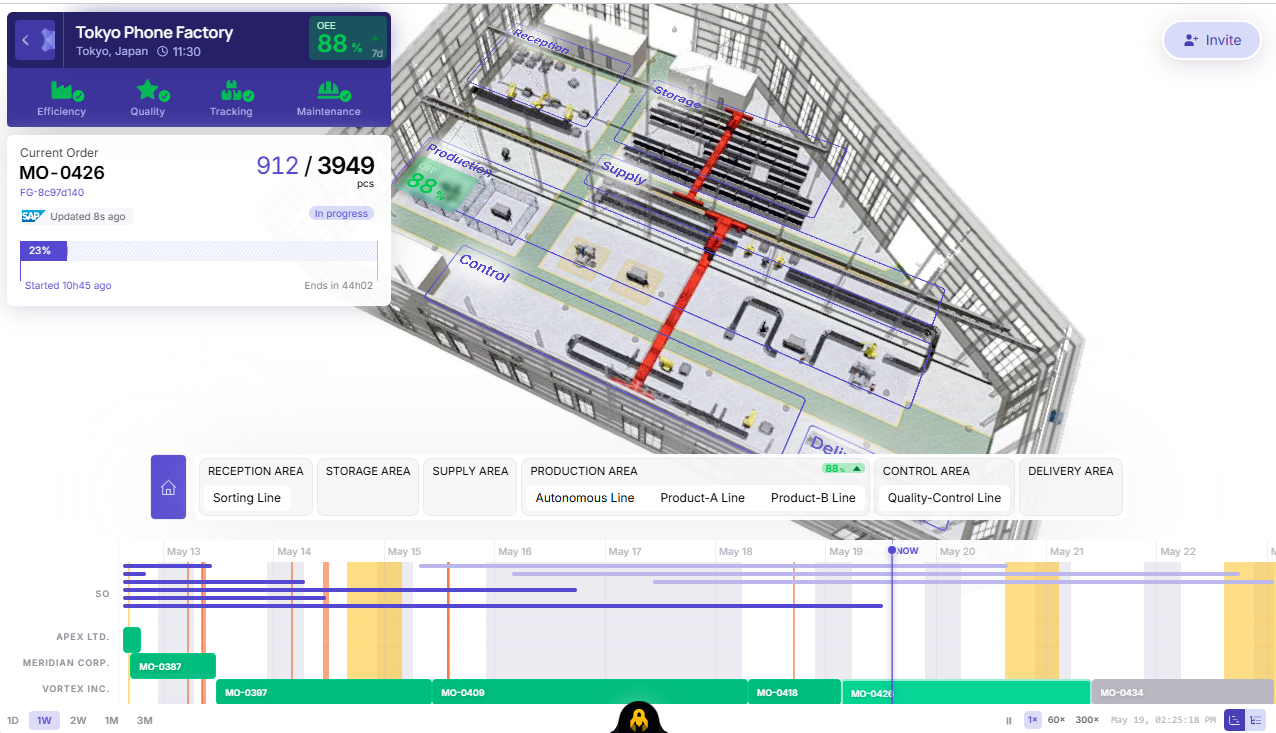
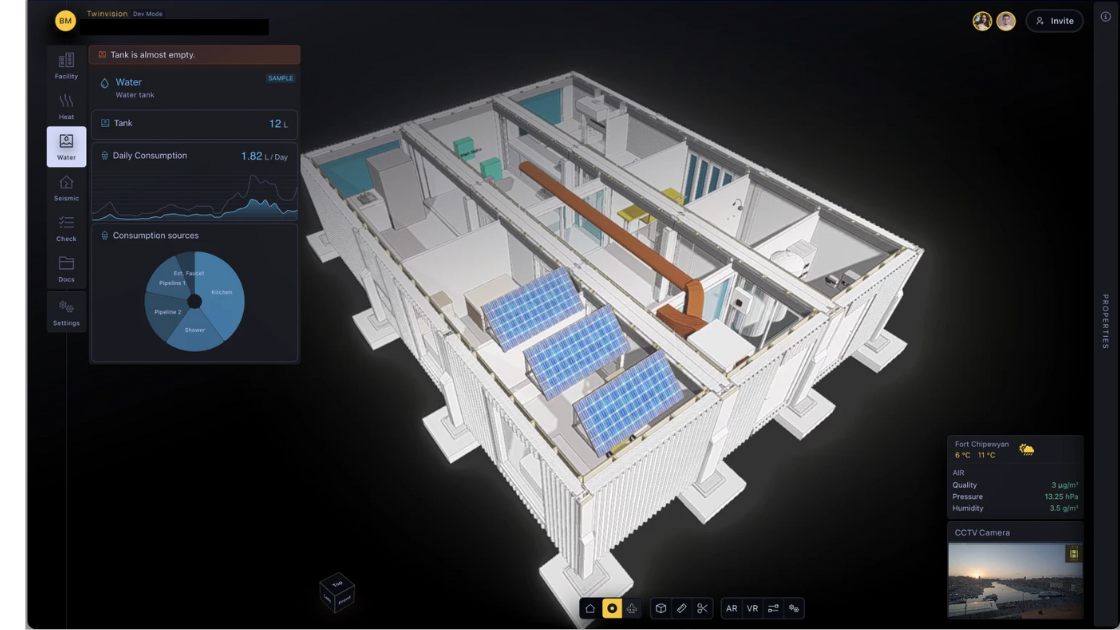
3dverse is a Platform-as-a-Service (PaaS) that enables developers to integrate, stream, and collaborate in complex 3D environments directly through web applications.

Build with familiar web technologies, bring your existing 3D assets, and connect your business data. 3dverse provides the underlying 3D infrastructure, so your team can focus on building the application.

  • Developer Tools, APIs & SDKs

    Build real-time 3D applications with the web technologies you already know.

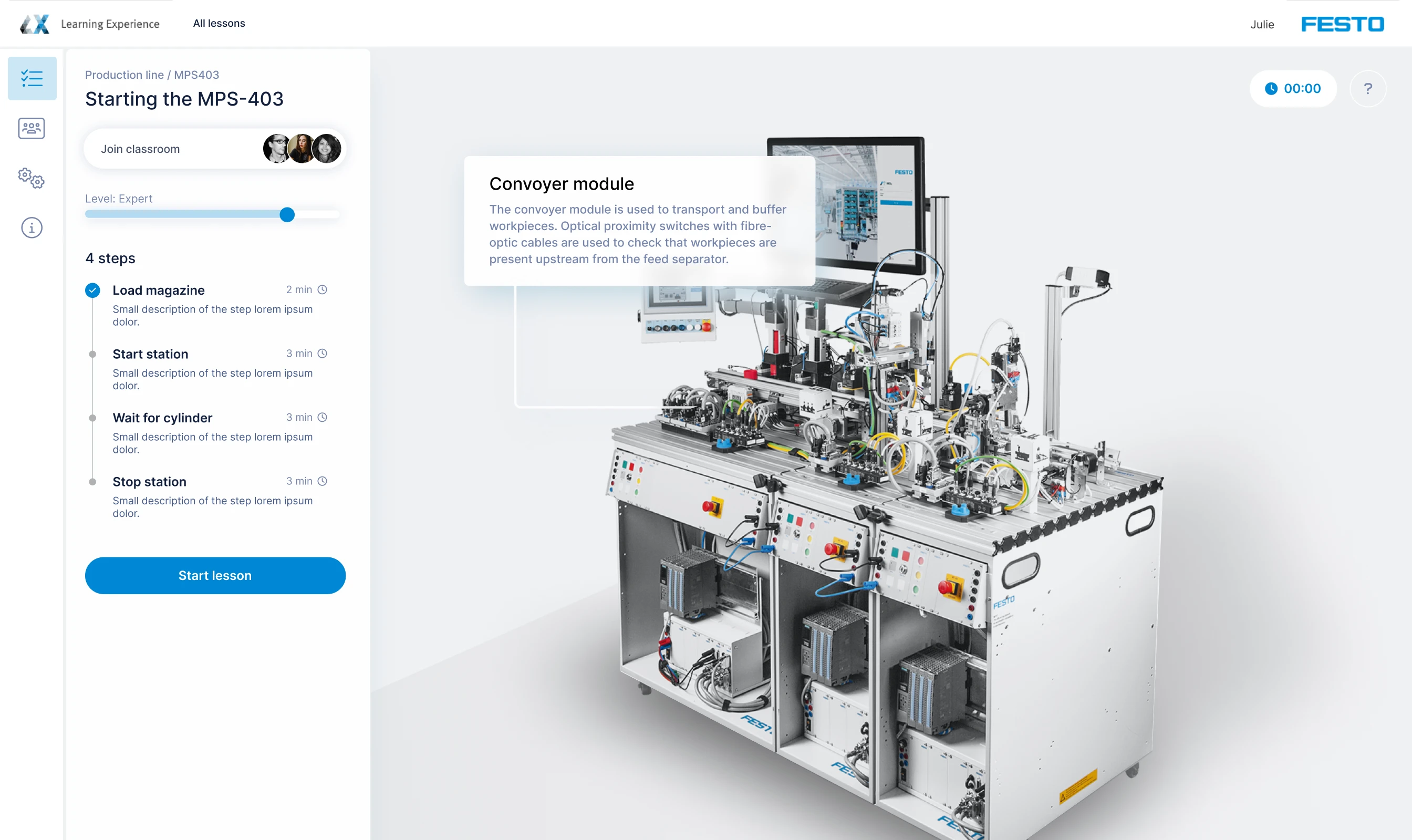
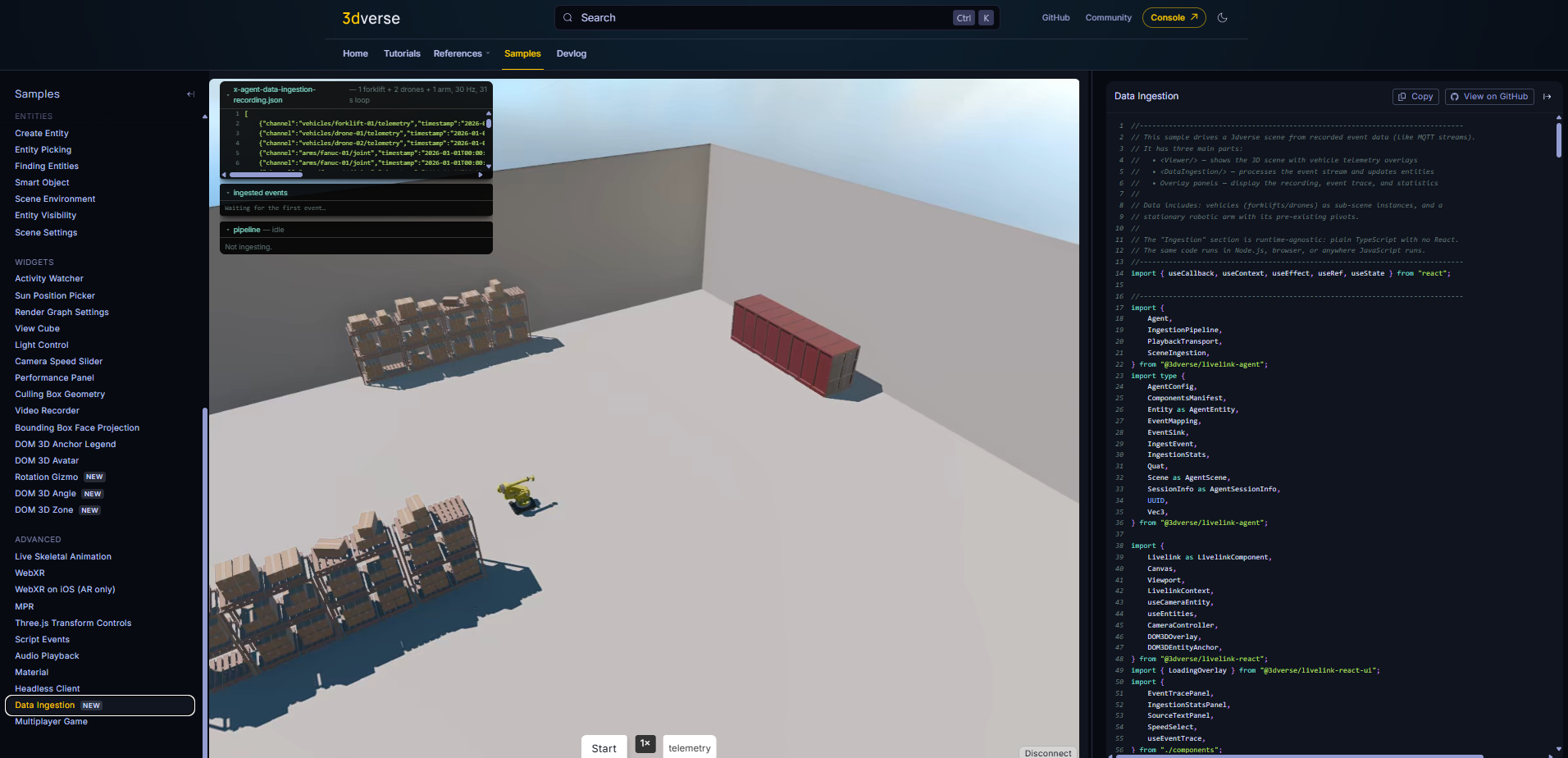
    Integrate interactive 3D environments into your web applications using 3dverse developer tools, APIs, and SDKs. Work with React, JavaScript, TypeScript, and familiar web development frameworks while retaining control over your application's interface, business logic, and data connections.

    • React & JavaScript Integration: Use Livelink.React and Livelink.js to embed interactive 3D environments directly into web applications.

    • Ready-to-Use Components: Accelerate development with React components, hooks, and tools for managing 3D sessions, cameras, viewports, and interactions.

    • Developer Samples & Starter Projects: Get started with working code examples, sample applications, and the create-3dverse-app starter.

    • REST APIs & SDKs: Manage 3D assets, sessions, and platform resources programmatically.

    Explore Developer Samples: https://docs.3dverse.com/samples/#/single-canvas-single-viewport

    Explore Documentation: https://docs.3dverse.com/
  • AI-Assisted Development & MCP Integration

    Build faster with AI-powered development tools.

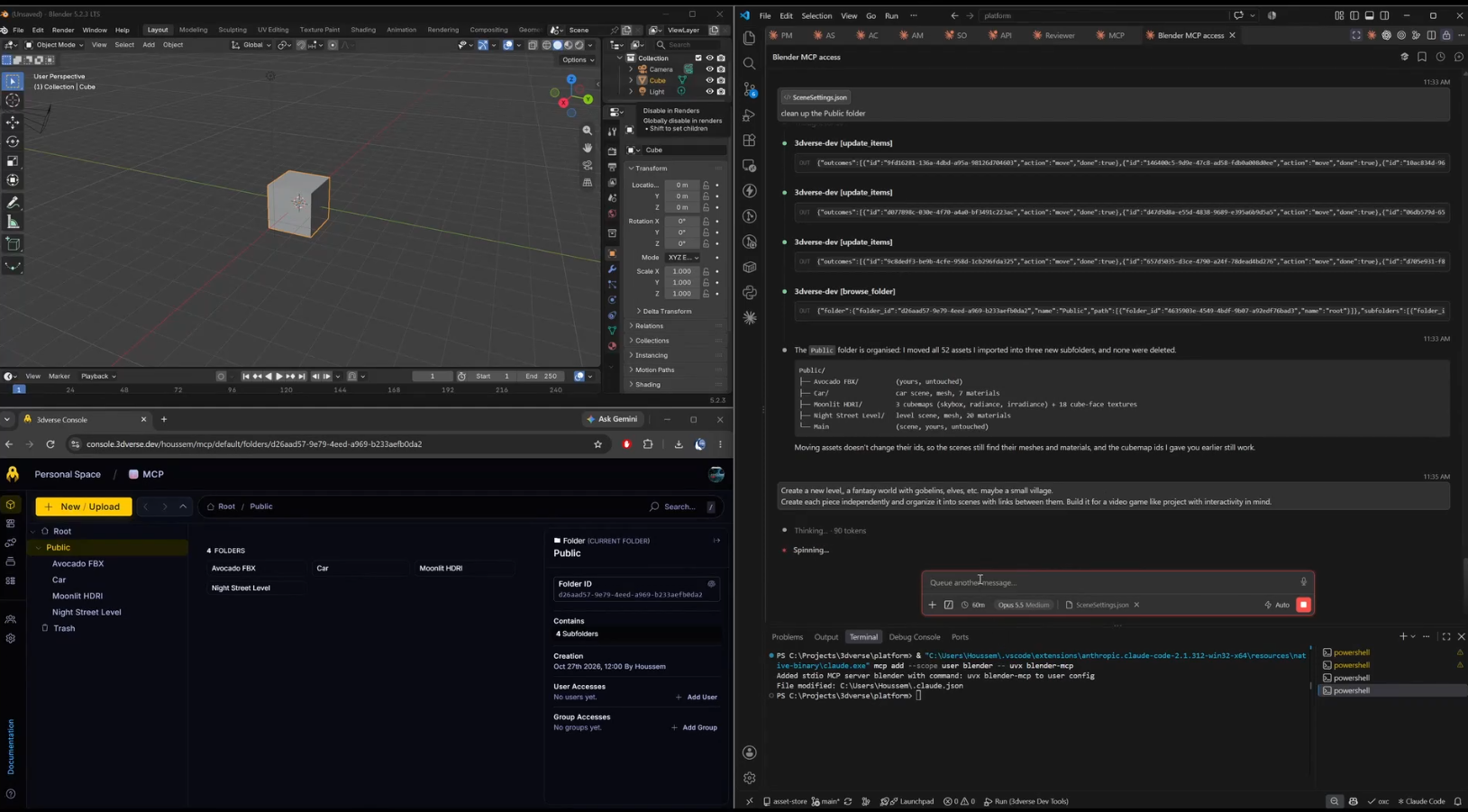
    Accelerate real-time 3D application development with AI-assisted workflows and 3dverse Model Context Protocol (MCP) servers. Connect compatible AI development assistants to supported platform tools and workflows to simplify development and reduce repetitive tasks.

    • MCP Server Integration: Connect compatible AI assistants to supported 3dverse tools through Model Context Protocol servers.

    • Developer Productivity: Streamline repetitive development workflows and spend more time building application functionality.

    • Connect to the 3dverse MCP Server: https://mcp.3dverse.com/mcp

  • 3D Content, Point Clouds & Virtualized Geometry

    Integrate complex 3D environments into your web applications, from engineering and architectural models to point clouds and high-density geometry.

    3dverse provides the content management and rendering capabilities needed to make these environments interactive and accessible through the web.

    • Multi-Format Compatibility: Import supported 3D formats, including CAD- and BIM-derived assets, and combine different types of content within the same environment.

    • Point Cloud Support — Now Available: Integrate point cloud datasets captured from physical environments into interactive 3D applications.

    • Virtualized Geometry — Now Available: Work with complex, high-density geometry using optimized geometry handling and rendering capabilities.

    • Large-Scale 3D Environments: Build applications using complex scenes and datasets without requiring specialized graphics workstations for every end user.

    View Supported File Formats: https://docs.3dverse.com/tutorials-console-supported-file-formats

  • Flexible Cloud, Private & On-Premises Deployment

    Deploy 3dverse using infrastructure options aligned with your organization's technical, operational, and data governance needs.

    From cloud-hosted applications to private and on-premises environments, 3dverse provides deployment flexibility for enterprise 3D applications.

    • Cloud Deployment: Deliver real-time 3D applications using cloud-hosted rendering and streaming infrastructure.

    • Private Deployment: Support applications within dedicated or privately managed infrastructure environments.

    • On-Premises Deployment — Now Available: Deploy the platform on customer-controlled infrastructure to address specific hosting and operational requirements.

    • Scalable Infrastructure: Support changing application workloads and concurrent usage through deployment configurations suited to your requirements.

    Explore Real-time Simulation
  • High Quality Textures

    3dverse delivers cloud-based texture rendering and is optimized to maintain performance across devices. It can handle scenes with millions of triangles, ensuring detailed geometry is displayed without requiring local GPU processing.

    • Cloud-Native Texture Streaming: High-resolution textures are dynamically streamed from the cloud, ensuring sharp, detailed visuals without local processing.

    • Triangle-Based Geometry Optimization: Complex surfaces are rendered efficiently using high-density triangle meshes, preserving intricate details.

    • Cross-Device Compatibility: Experience consistent texture quality on any device, from desktop to mobile, without performance degradation.

    Explore Bombo Mask Demo
  • DICOM & Voxel Rendering

    3dverse supports the ingestion and visualization of volumetric medical imaging data, including DICOM files.

    • Multi-Layer Visualization: Load and visualize DICOM files alongside voxel representations for accurate medical imaging.

    • Mesh Generation from Voxel Data: Convert volumetric data into accurate 3D meshes, maintaining precision and detail.

    • Parallel Representation: Simultaneously display original voxel data and reconstructed meshes, ensuring complete visualization control.

    Explore MPR Demo

Discover more technical features

More features

Explore Use Cases

What you’ve seen here is the foundation. 3dverse enables not just the rendering of 3D scenes, but the deployment of fully interactive, data-driven applications at scale. Whether you're powering large-scale digital twins, simulating complex environments, or building collaborative workflows across disciplines, 3dverse adapts to your application's needs, no matter the size or complexity of the scene.

→ Explore real-world applications and discover how teams are building next-generation 3D solutions with 3dverse.